
Dawn Patrol Golf Scoring App
Expanding mobile golf scoring to serve recreational players and non-traditional formats
My Role
UI Designer
Team
1 UI Designers
1 Developer
1 Product Manager
Timeline
Summer 2025
Tools
Figma
Overview
Scorecards, leaderboards, and game format tracking, all built around the group experience.


Most golf scoring apps are designed around individual performance – handicap tracking, personal stats, and solo improvement. Dawn Patrol took a different approach, prioritizing the group round as the core experience.
I was brought on as a freelance UI designer to translate the client's product vision into a complete visual design, working from defined requirements through multiple rounds of feedback to a final, handoff-ready deliverable.
Impact
6
Game Formats Supported
Allowing groups to track complex scoring rules without manual calculations.
3
Rounds of Client Feedback
Iterated and refined the design until it met the client's full vision.
30+
Screens
Designed
Covering everything from live scoring to leaderboards and game summaries.
3
Core User
Flows
Guiding players through round setup, live scoring, and end-of-round results.
Research | Competitive Analysis
Analyzed 6 golf apps to identify
market gaps and design opportunities.


Most apps prioritize individual performance: handicap tracking, personal stats, and improvement tools.
Interfaces tend to be feature-heavy, with cluttered home screens competing for attention.
Group play and casual scoring are rarely the focus, and if supported at all, they are secondary features.
None were designed with the recreational, social round as the core experience.


Final Thoughts
Proud to have delivered professional, handoff-ready work on a real product with a real client.
Hopeful that Dawn Patrol will find its way to launch someday
Grateful to have designed for a domain I knew nothing about, and a better designer for it.


Prototyping | Early Screens
The early designs explored multiple approaches to onboarding, navigation, and scoring interfaces across 37 screens.
Navigation
Early screens revealed redundancies in where certain features lived and included sections that added complexity without adding value. These were reorganized and cut in later iterations.
Visual Design
The initial designs used a heavier color palette that felt too harsh for the casual tone of the app. These early screens reflect that exploration before the final direction was established.








Prototyping | Final Screens
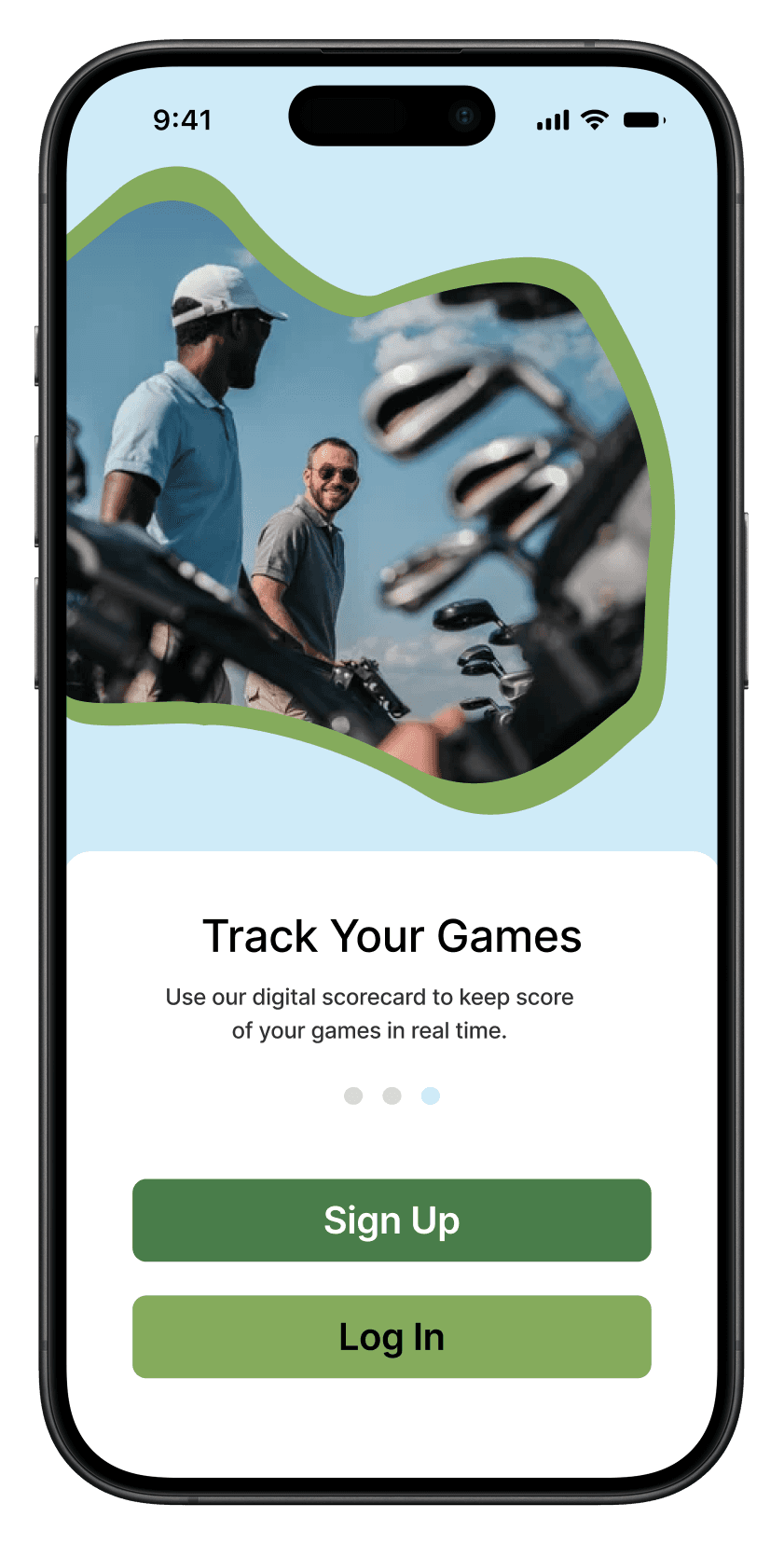
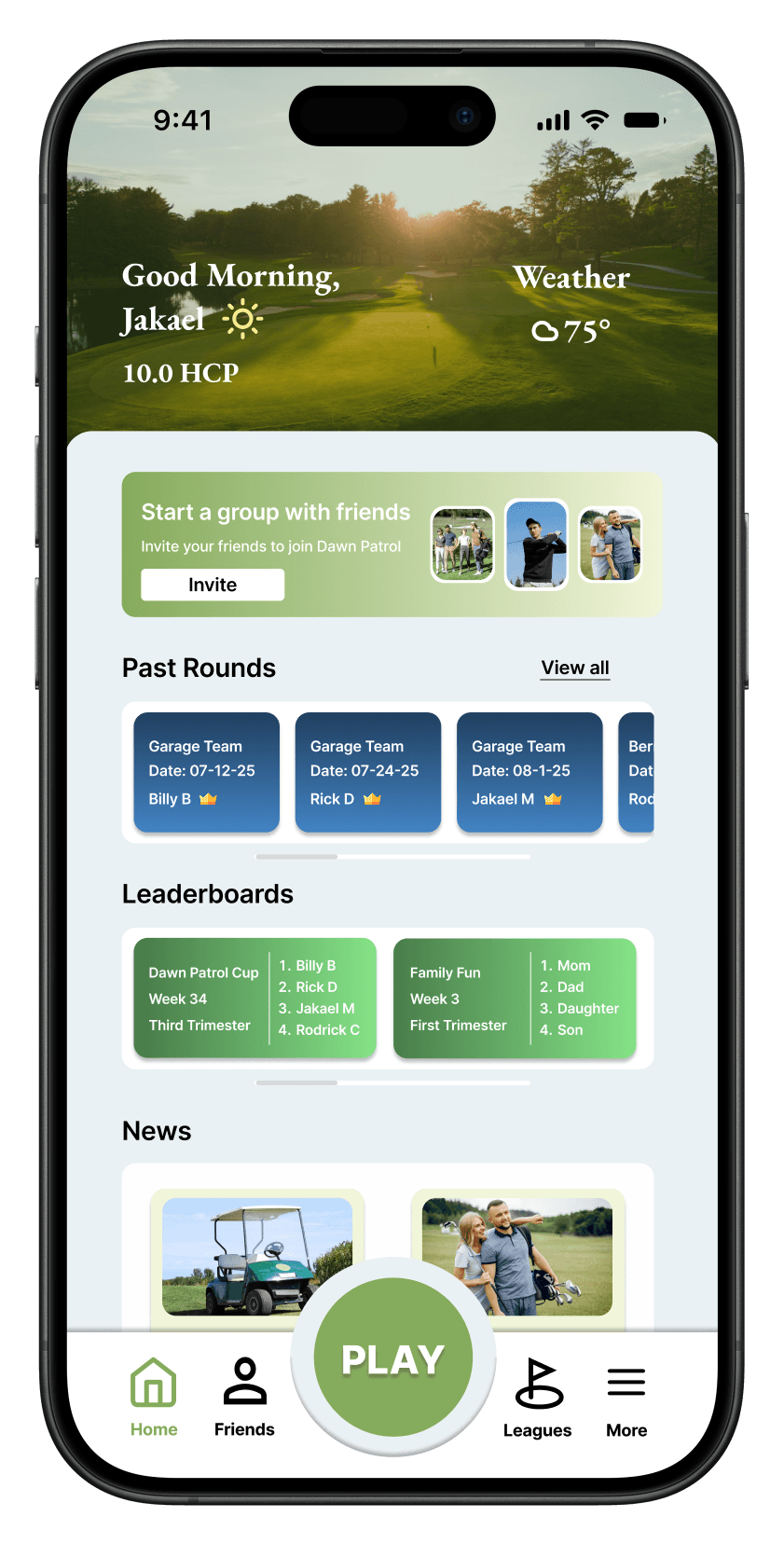
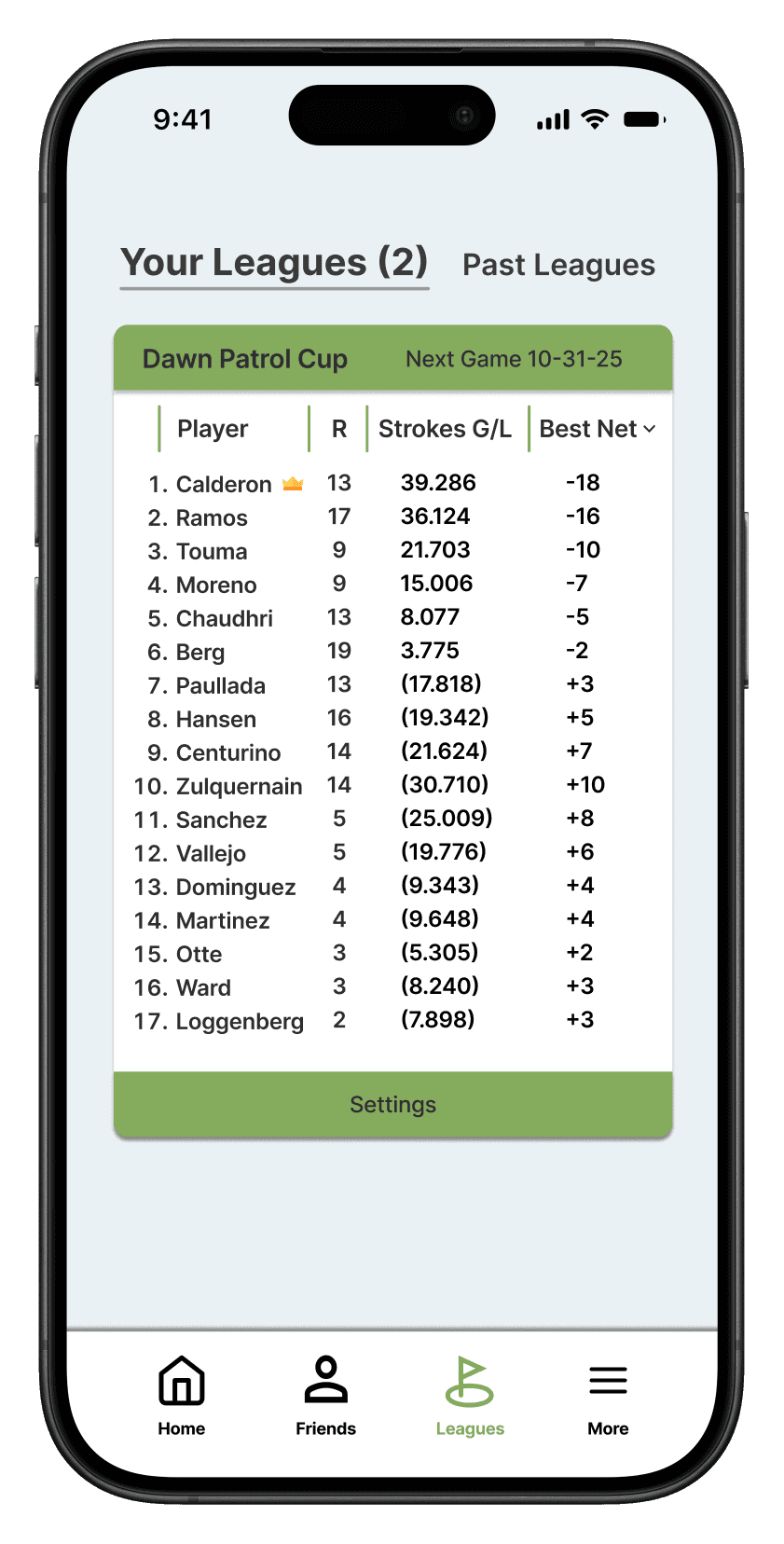
Through client feedback and iteration, the final design was refined to 31 screens with a clearer structure and a more cohesive visual direction.
Navigation
The final navigation structure consolidated features into clearer flows, reducing friction across the three core user journeys: round setup, live scoring, and end of round results.
Visual Design
After several rounds of feedback, the palette shifted to the soft blue and green tones seen throughout the final screens, better reflecting the recreational, social nature of the app.


Jakael Meadows